UI Design Project
Teddy Browser
Project Overview
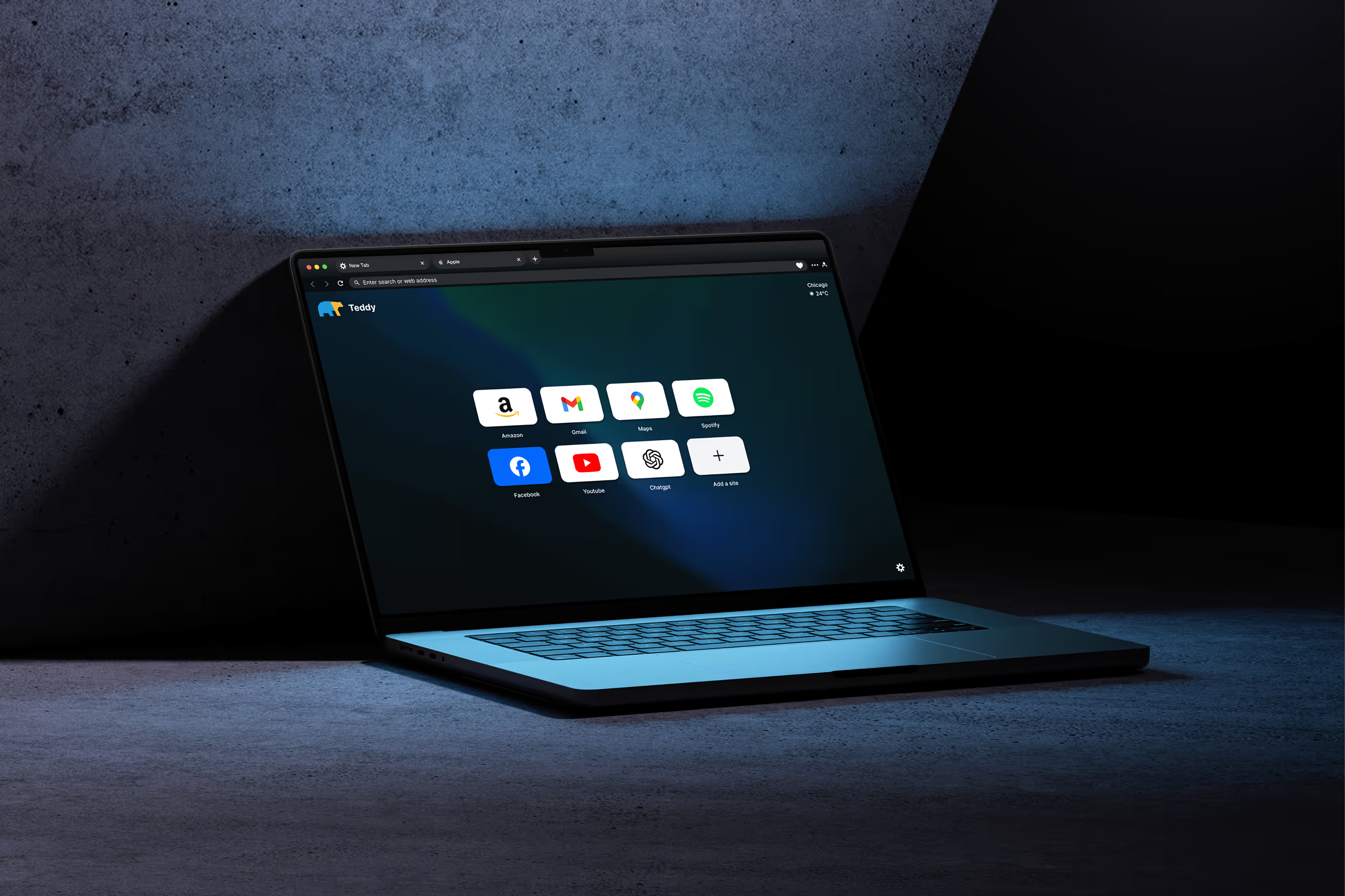
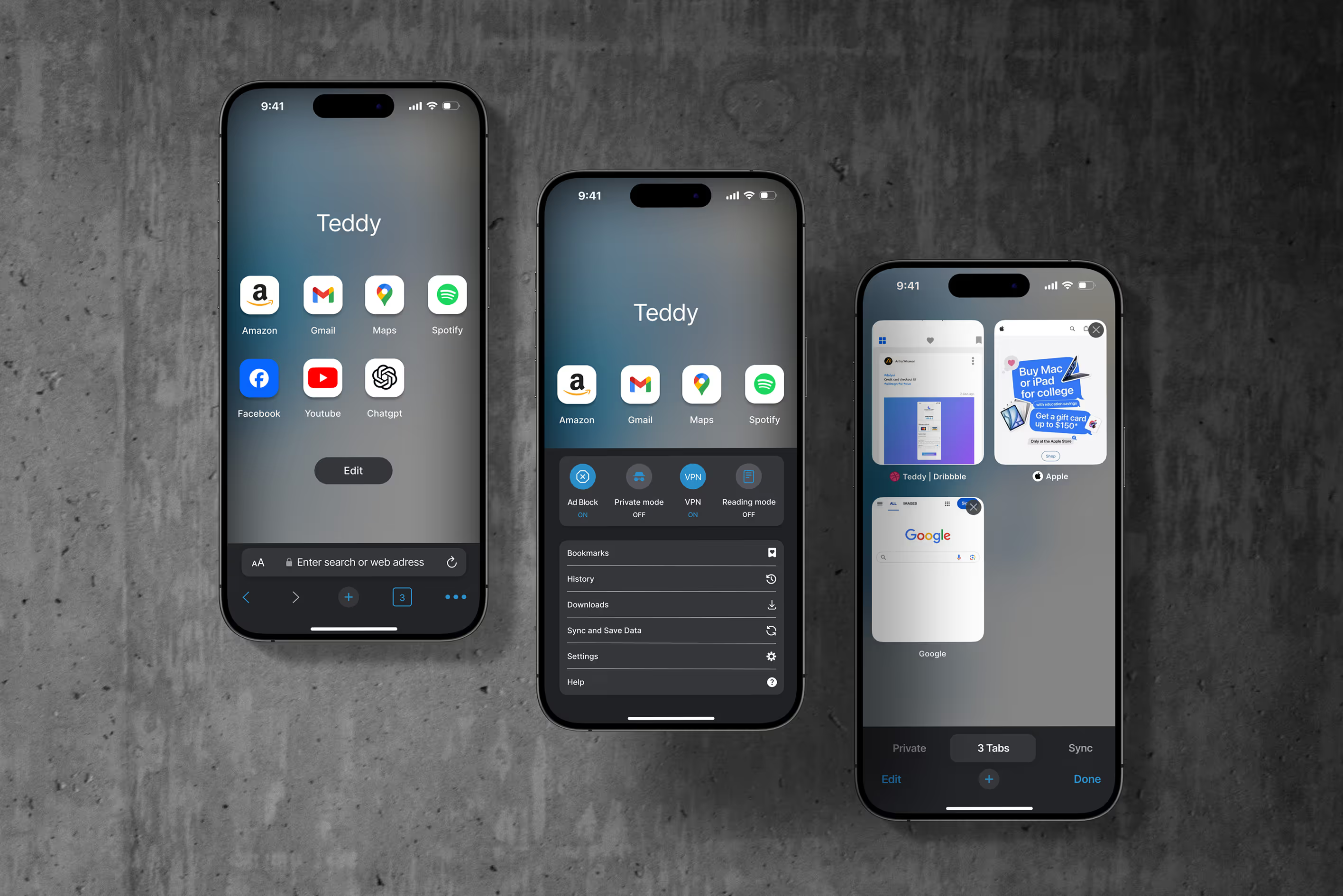
This phase of the Teddy Browser project focused on creating a fully functional homepage and new tab experience for both desktop and mobile. The goal was to design an interface that blends everyday usability with a soft, friendly personality, while offering thoughtful customization and protection features.
The new UI emphasizes clarity, quick access, and user control, making the experience approachable for both casual and privacy-conscious users.
Challenge / Goal
The challenge was to simplify the browsing experience without removing functionality. The interface needed to:
The project had to:
• Feel light and clean, with just enough character
• Work seamlessly on both desktop and mobile
• Offer customization, privacy tools, and sync—without overwhelming the user
DESIGN APPROACH
Core UI Structure
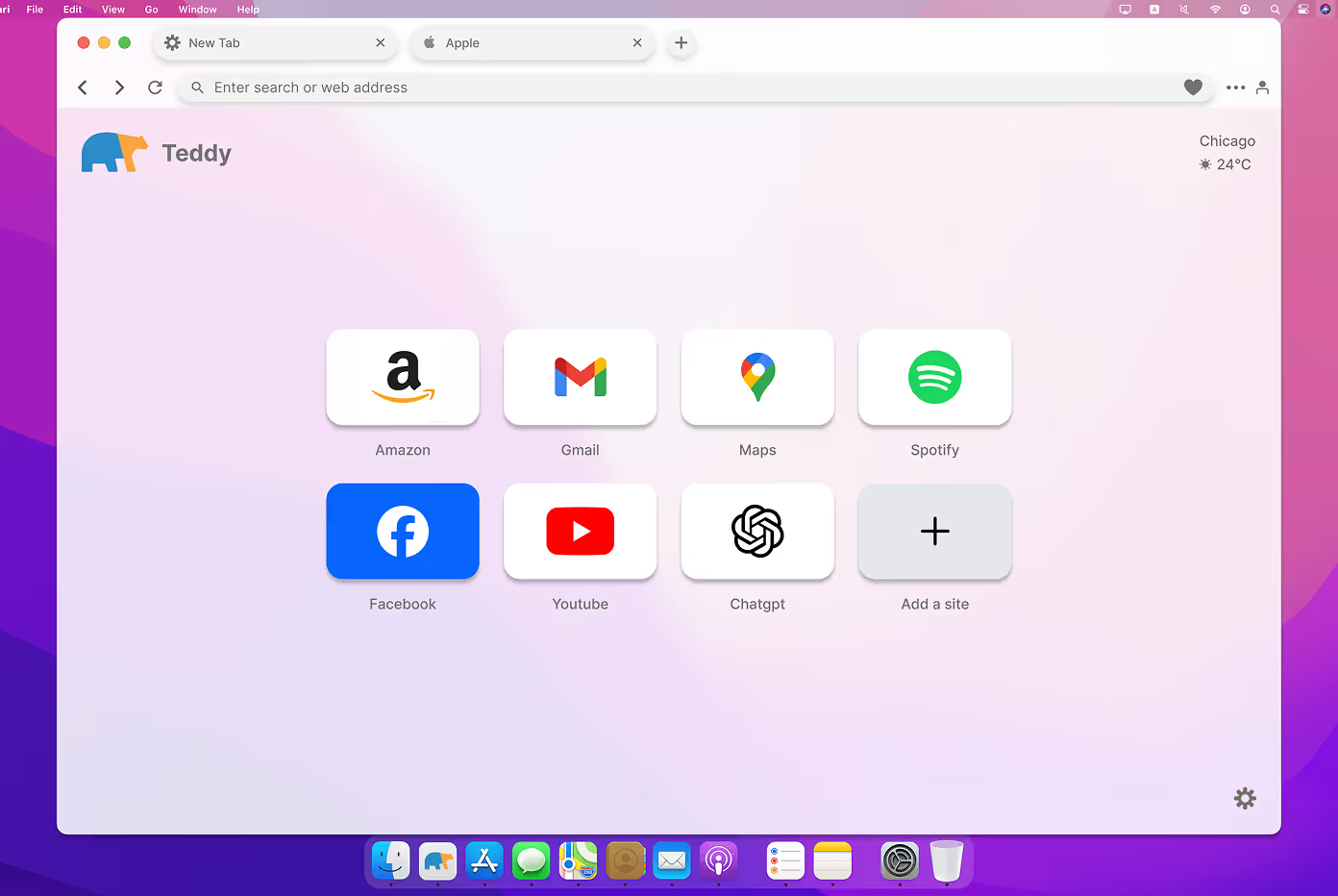
• A new tab homepage features quick-access tiles (Amazon, Gmail, Maps, etc.) with the option to add custom shortcuts.
• A top address/search bar mirrors familiar browser design conventions, supporting ease of transition for users.
• Weather and location info adds a subtle touch of personalization.
Customization & Privacy
• Choose wallpapers (solid colors, abstract, or photos)
• Toggle light, dark, or default mode
• Enable Smart Protection: ad-blocker, tracker blocker, VPN toggle
• All settings are grouped for quick access and minimal friction.
Mobile Adaptation
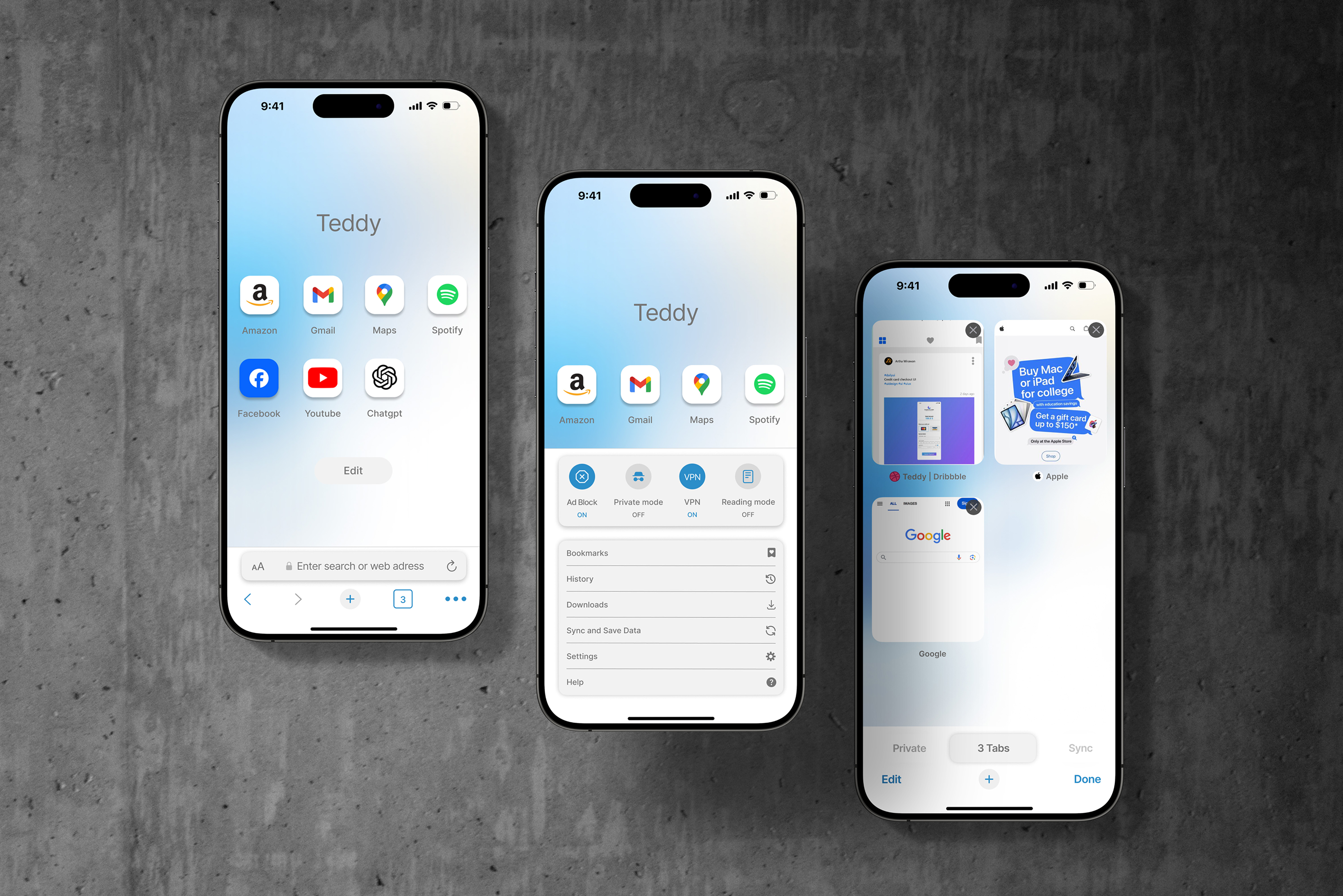
• The mobile interface mirrors the desktop experience while optimizing for thumb reach and screen size.
• A bottom toolbar handles navigation, tab control, and settings.
• The tab switcher uses a card layout with previews, making multitasking intuitive.
key features
• Teddy Shield: Privacy tools that feel accessible—not overly technical.
• Multi-tab grid view on mobile for visual tab management.
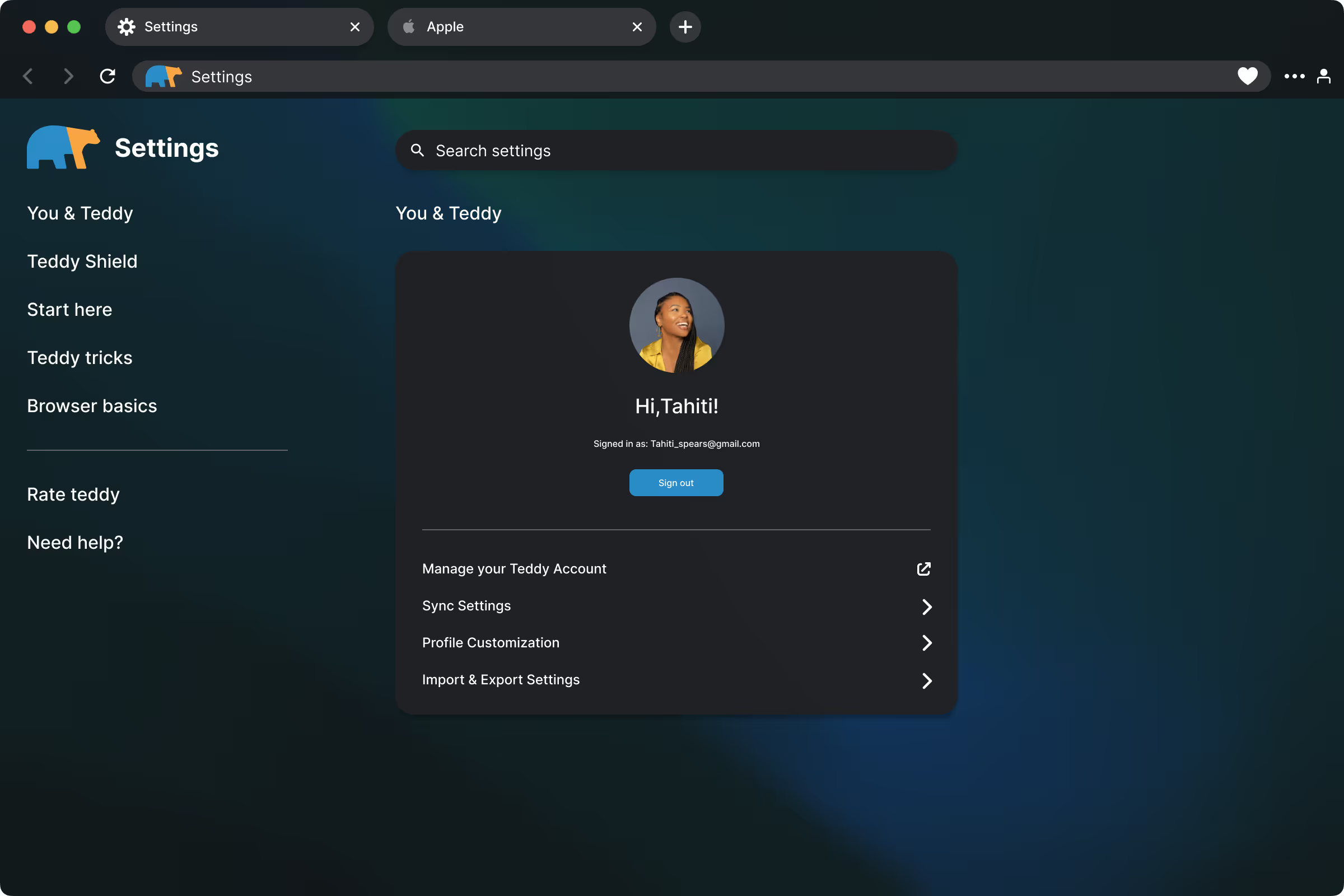
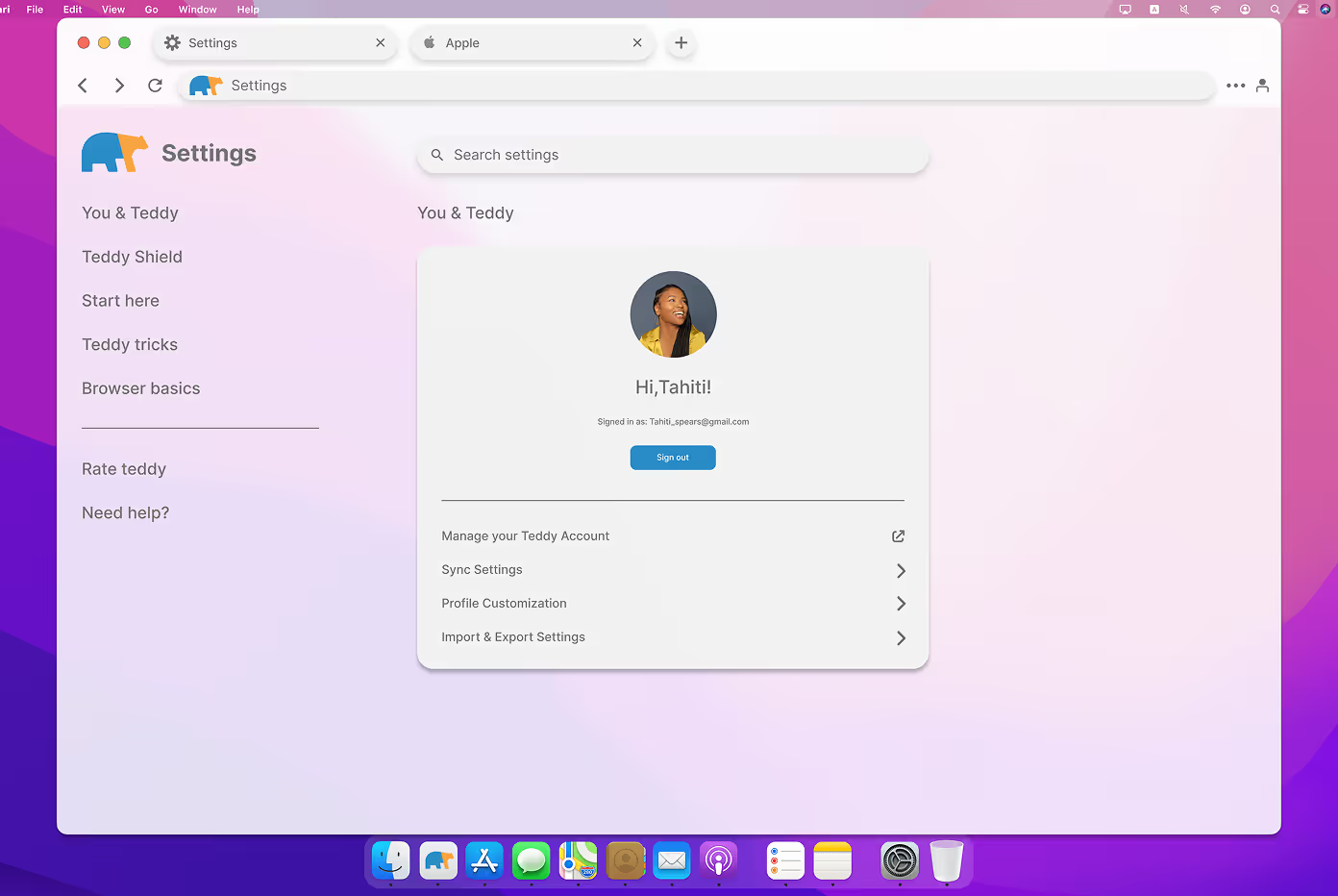
• Personal welcome in settings with avatar and synced email info.
• Minimal UI that adapts to light/dark mode smoothly with a soft gradient background.



Outcome / Solution
The final website UI for Teddy Browser delivers a warm and modern browsing experience. It keeps the essentials while gently guiding users to personalize and protect their web space.
With custom visuals, smart tools, and an uncluttered interface, Teddy makes the browser feel like home.
reflection
This project pushed me to think about:
• Build a complete browser interface system from top to bottom
• Explore how brand personality can live inside functional UI
• Balance clarity, softness, and responsiveness across platforms
The Teddy Browser UI shows that even a simple homepage can be designed with care, playfulness, and user trust in mind.